Rock Scatter Terrain

Published 9 March 2026

image-20260309082925995

image-20260309082938371

image-20260309082951676

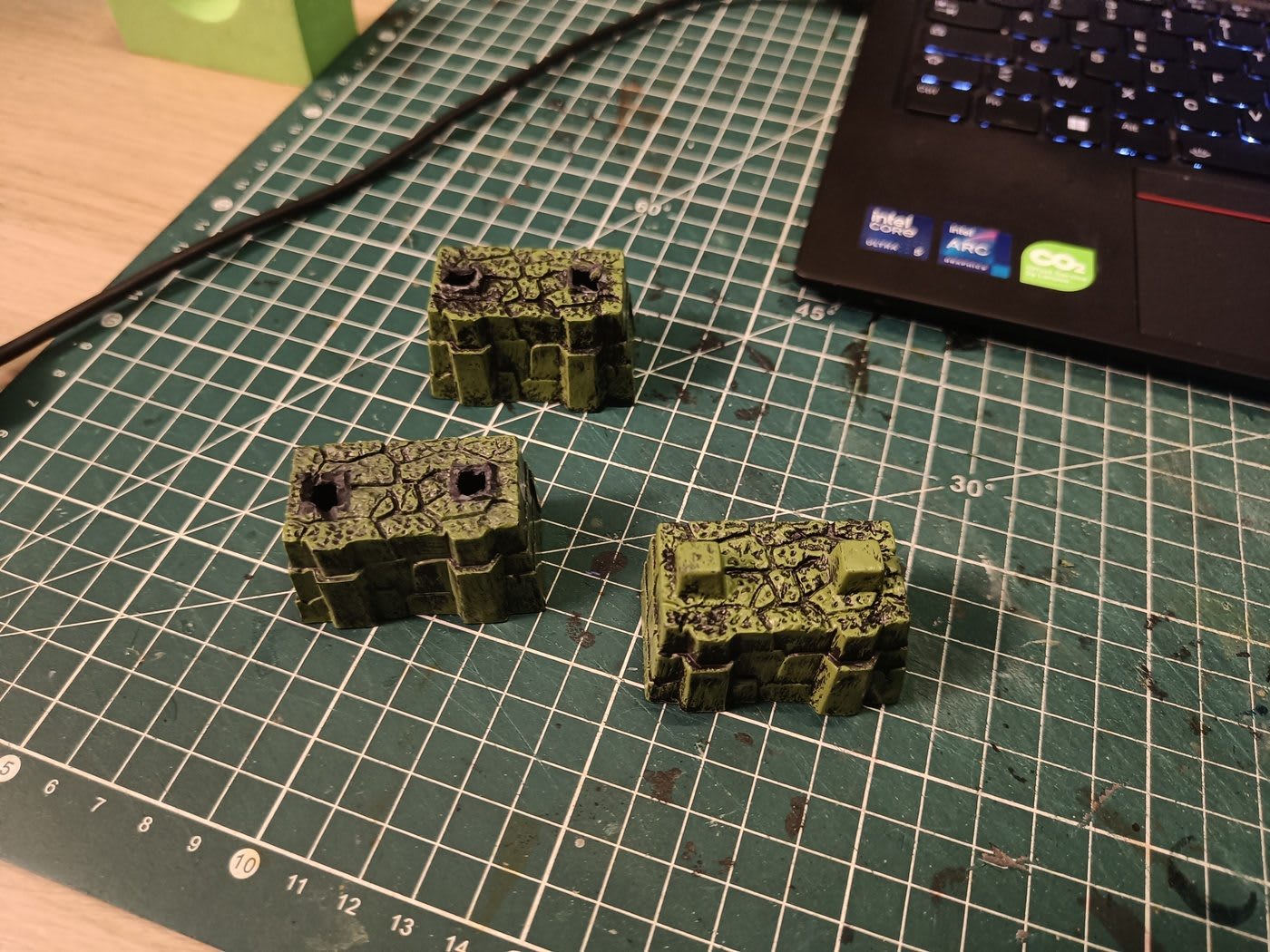
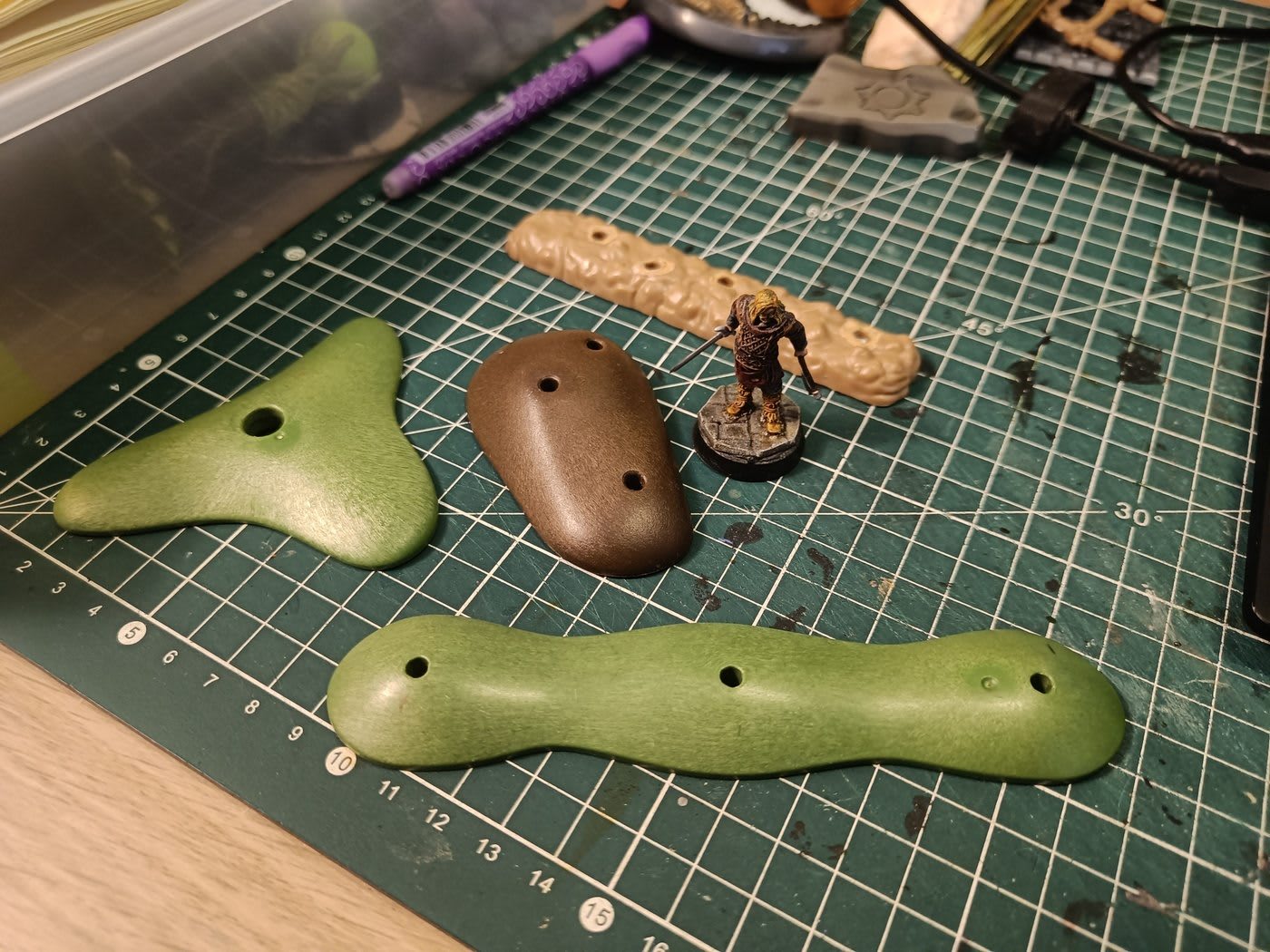
Quick doc on some scatter terrain I made. Basically just rocks for forest encounters.

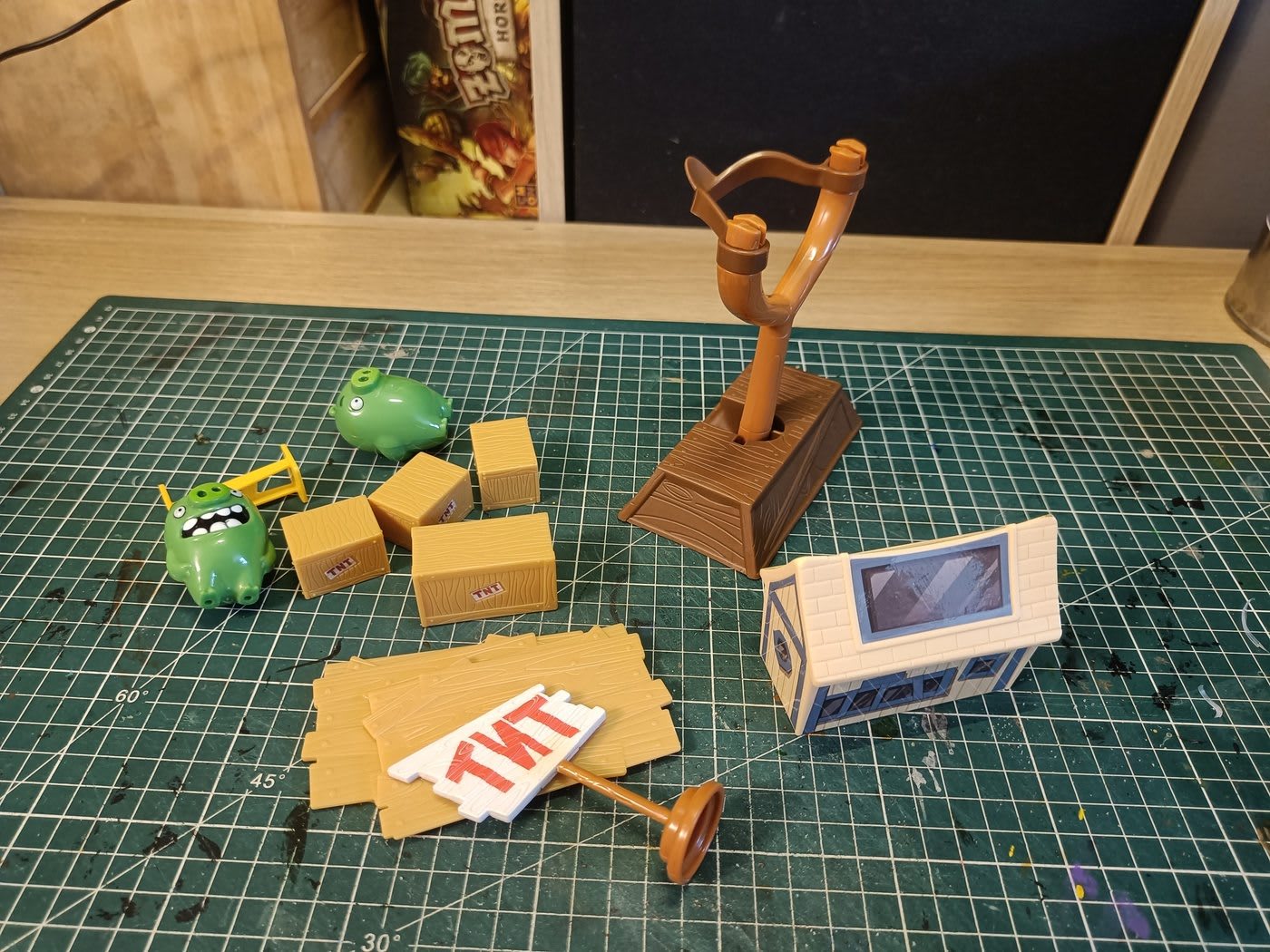
I grabbed plastic rocks from various toy sets (Mega Bloks and others). What I like about them is they already have a natural rock shape, even though the texture is pretty smooth. They're also really solid which is great.

I glued them onto cardboard bases, then covered everything with a mix of glue, filler, and small pebbles/stones. This gives the smooth plastic surface more texture and roughness so they look more realistic.

Pretty simple project but they'll work great for adding some quick terrain to outdoor scenes.

Tags:
Edit this post on GitHub

Heroclix Pillars

Published 9 March 2026

This is one of the builds I'm most proud of! It has all the characteristics of what I love about terrain creation:

  • The build is very simple to make
  • Doesn't require much cutting
  • It's quite pretty
  • Represents well what it's supposed to represent
  • Super solid to handle

And as a bonus, we're reusing materials that would normally go to the trash for something very useful.

image-20260309084948914

The main idea is to reuse Heroclix bases. You can stack them on top of each other to make pillars. If you offset them slightly, the little notches on the sides make them look like stacked stones.

Heroclix minis are great but the bases are massive, so I've got tons of them lying around. This turned out to be a pretty good way to give them a second life.

image-20260309085129050

At first I wondered if I should make pillars that were 5 bases high or bigger ones that were 10 bases high. The small ones weren't at the right scale compared to the characters, and with the big ones I thought they might block the lines of sight a bit too much.

So what I ended up doing was making pillars that are all 5 high. If I ever want to make a tall pillar, I can just stack 2 of them.

I added plastic circles at the top and bottom that I found, which were exactly the right size. But if you don't have any, you can replace them with cardboard cut to the right size - that works very well too. This ensures the top and bottom are completely flat and makes it much easier to stack them on top of each other.

image-20260309085321819

I take some filling compound and moisten it slightly. Then I spread it around the pillar and wet my finger to smooth it out everywhere, making sure it gets into all the holes.

image-20260309085418198

Then with a dry paper towel, before the filler dries, I wipe all around the pillar. This leaves the filler only in the gaps between bricks (to look like mortar), while completely removing it from the brick surfaces.

Tags:
Edit this post on GitHub

Heap of clothing

Published 9 March 2026

image-20260309083317665

Another scatter terrain for the asylum scenario. Players start in an old laundry room where staff used to wash everyone's clothes. I needed to create some piles of laundry for the scene, so here's what I did: I glued crumpled aluminum foil onto cardboard bases to give it some volume and height. Next step is to add material on top that actually looks like clothing to finish it off.

image-20260309083455911

I cut pieces of crepe paper in different colors and glued them onto the main form with a hot glue gun. The issue was that crepe paper is pretty stiff, so I sprayed a water and PVA glue mixture on them to make the paper conform better to the aluminum shape underneath.

The downside is that all the colors completely discolored and bled into each other, creating a big mixed mess of colors. So looking back, cutting different colored sheets wasn't really worth the effort since they all blended together anyway.

image-20260309084656356

This is even more true since the next step is to cover everything with black modpodge, so my choice of different colors at the start was completely pointless.

Tags:
Edit this post on GitHub

Witch Hut

Published 8 March 2026

image-20260308230614088

I think it's time I documented this build. I started it two years ago and it's been sitting on my shelf ever since - still not finished.

I know I'll finish it one day though! I've learned some new techniques since then. I think it needs some flocking and a bit of color to break things up. Then it'll finally be something interesting to look at.

Right now it's not completely finished, but I still think it's worth documenting how I got to this stage.

image-20260308230828989

So that's where it all starts - at the very base. I can't remember if I bought it myself at a flea market or if it was part of the pieces we got for my daughter that I ended up keeping. But these big knotty roots - I thought there was a way to do something cool with them. Especially with some of the trees.

I also grabbed a fake plastic bonsai from a store's trash. It has this really knotty tree shape and I got it for super cheap.

image-20260308231204713

I started laying things out on a cork board and positioning different elements to try to get the general shape roughly right. Once it seemed correct to me, I drew the final shape on the cork that I needed.

image-20260308231331722

I added quite a few pieces of foil to fill the holes and give some real structure to everything. Glued different pieces together to fill it all in properly.

image-20260308231449323

Here's a view from below the build. What's nice is that the Playmobil piece is hollow, so I can really push the aluminum foil inside properly to fill it up as much as possible.

image-20260308231554169image-20260308231600165

image-20260308231612231

I glued the entire structure onto the cork, then continued adding aluminum foil all around to smooth out the transition between the structure and the ground.

I pushed a large piece of polystyrene into the hollow at the top and added the plastic bonsai I found. It's going to be this super tall tree towering above everything.

Also added a piece of polystyrene standing upright on the facade. That's going to be the entrance to the witch's dwelling.

image-20260308231950469

image-20260308231959919

image-20260308232008309

image-20260308232020668

I then added a bunch of details to the build! Started with the facade, glued on a door, then built up the area around it with different sized planks. Used matches, coffee stirrers, and popsicle stick pieces. For the triangle around the entrance, I went with larger sticks I found outside.

Added lots of little touches throughout. One cool idea I had was using plastic bones from an old dinosaur model kit and placing them around the piece. Once painted, they should blend in with the roots to create this roots-and-bones vibe.

Put a trapdoor in the back for another entry point, added some small stairs going up the tree, threw in some mushrooms, and made a little tiled roof. Scattered more details here and there.

Next step is to unify everything with paint!

image-20260308232333424

I made a filler paste mixture with a bit of sand to give it some grittiness. Added a little brown ink to it as well - helps me see where I've applied it properly, and if I miss a spot it won't be as noticeable as white would be.

image-20260308232452910image-20260308232459641

I applied it pretty much everywhere to get better adhesion between all the different parts. It helps bring out the cork grain more clearly, fully covers the aluminum, and gives a more uniform look to all the pieces I glued together.

image-20260308232524224

image-20260308232810519

Once it was dry, I applied a second coat to the areas that needed a bit more coverage.

image-20260308232937930

image-20260308232949405

image-20260308233005321

image-20260308233016337

image-20260308233026589

image-20260308233036736

So I moved on to painting. First I covered everything in black to make the different pieces easier to paint later. Then I started blocking in all the brown earth sections, the tree itself in another color, and anything that needed to be lighter in white for now. I also did some dry brushing on the stone exterior.

But honestly, this is where I kind of lost motivation for the project. While I had a super clear vision for the structure and I was really excited about this witch's house nestled in the roots of a giant tree, I didn't really have a plan for the colors. Everything is dark, swampy, and just ends up being brown and grey. I tried adding color with the mushrooms, roof, and pumpkins, but it's not enough.

When I get back to painting this, I think I need certain elements to really pop color-wise. The pumpkins definitely need to stand out. The bone pieces probably should too. Maybe the mushrooms as well. And I'll need to add some interesting flocking.

I'm also unsure about the tree itself. Should I add Spanish moss hanging down? A rope? It already has this nice abandoned look going for it, but I'm not sure how to paint it exactly. That's where I'm kind of stuck on what to do next.

Tags:
Edit this post on GitHub

Wall of Fire

Published 8 March 2026

image-20260308225307422

Quick post to document how I made some firewall effects for a scenario I was working on.

I took a sheet of transparent plastic - didn't buy it, just recovered packaging from a blister pack that came with something from a store.

Then I used a hot glue gun to put little flames/lines of glue next to each other on one side. Let it dry, then did the same thing on the other side. Once dry, I cut roughly between the two layers.

Finally, I glued that vertically on a piece of cardboard and done!

image-20260308225522861

For the painting, I did something really rough. I did it with speed paints because they're quite liquid and seep well into the holes.

I started doing one block at a time. First, I covered absolutely everything from top to bottom in yellow. Then while the paint was still wet, I covered the bottom two-thirds in orange, mixing it vaguely so you can still see some yellow showing through.

After that, I took red and only did the bottom third with it. Same approach - not really mixing, just painting poorly over it. The idea is that you can see the successive layers of orange, yellow and red.

I think at the very end, I even added a little bit of black on the extremities at the top.

Tags:
Edit this post on GitHub

Ma' Graul

Published 8 March 2026

image-20260308233651426

There is an amazing scenario in Rise of the Runelords, in the Hook Mountain Massacre book. Players have to rescue some rangers who've been captured by a family of hill giants (or maybe ogres, I can't quite remember) led by a matriarch. The whole family is hilariously dumb, but also morbidly grim, which makes for such a fun atmosphere.

I've never managed to get my players far enough in this adventure path to actually run this encounter, but I really want to use it somehow. I'm thinking of dropping it into another campaign.

To prep for that, I wanted to create a full roster of all the members of the Graul family that appear in that scenario. So I dug through my collection of ogre and hill giant miniatures to see what I have available to represent the whole family.

image-20260308234014330

The first figurine you see at the top is a Heroclix figurine with its arms raised in the air. I believe it's supposed to represent a brute that escaped from psychiatric ward. The second one in blue is an ogre figurine that comes from the World of Warcraft board game.

The next three minis also come from Heroclix. The pale green one is from their fantasy range with the somewhat deformed characters. The one carrying a piece of wood comes from their horror range. And the big green one is obviously Hulk.

The gray one is a zombie from some board game similar to Zombicide, but not actually Zombicide. The next one holding a staff is a Frankenstein-type figure from the Heroclix Horror range. The one behind with arms outstretched, looking like it's about to fly, is also a Frankenstein from Heroclix, though I can't remember which specific range.

The obese figurine sitting down eating an arm with a cleaver in hand comes from the Heroclix Horror range. It's the perfect representation of the matriarch of the group.

The Cyclops behind her is a plastic toy, that one can buy in regular toy shop. The red one is also coming from a board game, but I can't remember the name (I have other such miniatures, in other colors).

Finally, the green double headed thing is coming from Heroclix as well. And the one at the very far end is probably worth a fortune as it's a metal miniature of Thrudd the Barbarian, a very early (1982, I wasn't even born!) Games Workshop mini.

Tags:
Edit this post on GitHub

Furnaces

Published 8 March 2026

2023-12-20 00.04.02

These are furnaces (or boilers), I needed for the basement of the first Strange Aeons adventure.

I made the base using a Skylander toy and added lots of small elements to give it a steampunk look. There are tons of little gears that come from steampunk beads, plus bits of toys I found here and there. On the left side, the top is a Games Workshop paint pot (I think it's a Nuln Oil) turned upside down and added on top to serve as a reservoir.

2023-12-20 00.04.08

Here's the view from the other side!

The large pipe is made with a gramophone mouthpiece that I salvaged from another Skylander toy - turned upside down and glued with a syringe tip on top of a button.

The small red pieces are tips from Playmobil toys.

On the right one, I salvaged a diving helmet head from another toy that I put upside down at the bottom.

There are small beads placed on the sides and different elements. I think there are pieces that come from other Playmobil toys that I "borrowed" from my daughter.

2023-12-28 15.33.32

I used my usual mix of Mod Podge and black paint to help stick all the elements together properly. I didn't mind if there was a bit of texture on top since it was supposed to look like old, weathered stuff.

Then for the dry brushing, I think I went straight to orange. I have Ryza Rust (the technical paint from Games Workshop) but honestly I don't really see the difference between that and regular orange paint. So yeah, just did a dry brushing with orange there.

Tags:
Edit this post on GitHub

Flame Contraption

Published 8 March 2026

image-20260308225947205

I made this thing and honestly I wasn't even sure what it was supposed to be while I was working on it. It's kind of in the same vein as the furnace and boiler I did recently.

Here's what I did: I took a piece of think foam and carved out a hole in the middle for a fake LED candle. Put everything on a cardboard base with a coaster. Cut a hole underneath so I could reach the switch to turn the candle on and off.

Then I grabbed some random parts from my bits box. That big orange piece you see is super low quality plastic that literally crumbles every time I touch it. I salvaged it from some flea market game I can't even remember the name of.

The piece on the side is from Mantic Crate scenery. It's normally for WWII skirmish games, but since I do fantasy, I just laid it on its side and lined up the pipe so it fits into the pipe of the other plastic part.

For the flame effects, I used hot glue gun glue and built it up around the plastic flame that was already on the fake candle.

I've got a photo of the finished piece that I'll share in another post soon!

Tags:
Edit this post on GitHub

Experiments with basing texture

Published 8 March 2026

image-20260308223643963

I've been looking for a technique to texture miniature bases really quickly and keep them consistent across all my minis. Did some experiments recently, that I'm documenting here.

First one was with linoleum wallpaper - the kind I've used before for scenery. What's great about it is the texture is actually raised, about 1-2mm thick, with these nice cracks in relief. Thought it might work well for bases.

image-20260308223833225

Unfortunately, the material comes into rolls, and so doesn't stay flat on large pieces. What I did was to put the texture upside down on a foam board and pin it there. The foam is key because it lets the pins actually hold.

I then glued multiple bases upside down on it. My idea was to then just cut around each base with a cutter or scissors, and get perfectly textured bases ready to go. Saves a ton of time when you're doing a bunch at once.

image-20260308224227724

I let it dry well so the glue would hold properly, then I started making strips like that and cutting all around each of the bases.

image-20260308224347746

image-20260308224358124

Unfortunately it didn't work at all. Even after letting it dry for a very long time, the glue didn't stick between the bases and the material. It was a complete failure.

Maybe it would have worked better with a different type of glue, but I'm not sure what. I didn't want to use super glue because I would have needed a lot of it. So I ended up abandoning this experiment.

image-20260308224543297

So instead I tried something different - I used these soft foam sheets. You know, like the foam craft sheets kids use sometimes? They cut really easily. I grabbed a black one and did basically the same technique as before.

I made a circular template in the right width, cut out a bunch of pieces, and glued them onto each base. The cool thing is since the foam is full of little holes, the glue soaked right in and held super well.

Then I used a pyrography pen (maybe a bit too hot actually) to carve out the individual paving stones on top.

image-20260308224816434

The final result is very good! It's a technique I'd potentially reuse later.

The main difficulty is cutting round shapes that have exactly the same diameter as the base underneath. Since I cut with scissors in a not-very-clean way, the edges are a bit rough at times.

The base remains soft afterwards, even once painted. It's still very soft foam full of holes - even with paint, glue, and varnish, it stays soft. So what happens is that the miniatures just break if you only glue them. It happened to me several times - had to repair miniatures because they detach when dropped. The attachment point between the two isn't super strong.

If I do this again, I'd probably need to insert small metal strips under the miniatures' feet to properly anchor them inside the base. Which might be a bit too much work compared to what I'm doing now. So maybe I need to find a better way to glue them together.

It holds well to the base this time, but not excessively well to the characters' feet.

But the effect works very well and it's super fast and super easy to carve flagstones like that.

Tags:
Edit this post on GitHub

Doors

Published 8 March 2026

image-20260309082826105

image-20260308222821427

Quick post about my DIY doors that I still use today! They're not the prettiest and they don't actually open, but they're solid and you can tell immediately what they are.

For the main frame, I used some wood pieces I found (I think they were Kapla or something similar) and glued them vertically. That adds some nice weight to the structure.

Then I took popsicle sticks and engraved wood grain grooves into them using a Swiss Army knife. I glued three of these planks vertically on the front, back, top and sides.

Added some small steampunk beads for hinges and a lock detail. Painted everything brown with dry brushing - did a lighter brown layer and then beige on top. The metal pieces got silver paint.

I also made a frame around the whole thing using polystyrene. I engraved it with a pen and mechanical pencil to create brick shapes, then glued it onto another popsicle stick for a solid base.

They're definitely not perfect but they've held up really well over the years. The photo I'm sharing was taken before I finished painting the stone frame, but I'm still using these doors to this day.

Tags:
Edit this post on GitHub